Face swap video tools vary widely in what they optimize for. Some prioritize mobile speed and simplicity, some prioritize maximum control for power users, and others focus on production features like 4K output, high bitrate exports, multi-face swap, and API workflows. This guide explains how to evaluate a face swap video tool and highlights “best for” fits across leading options in 2026.
What this guide evaluates
Face swap video tools are commonly used in workflows such as:
-
Video face swap: swapping a face into an existing video
-
Photo-to-video face swap: using a still image as the source face and applying it to video
-
Multi-face swap: swapping multiple faces in the same clip
-
High-resolution exports: producing 1080p to 4K outputs suitable for professional use
-
API and automation: running face swaps programmatically for products and campaigns
-
Live activations: powering on-site experiences such as photobooths and experiential marketing exhibits
Evaluation criteria
When comparing face swap video tools, the most useful questions are:
-
Realism and identity resemblance: does the swap look like the intended person throughout the clip
-
Temporal consistency: does the face remain stable frame-to-frame without flicker, drifting, or warping
-
Expression and mouth alignment: do expressions and mouth movement match the performance when speaking is present
-
Hair and facial hair handling: does it hold up with beards, mustaches, and hairline edges
-
Occlusions and angles: does it work with profile views, hands over the face, glasses, fast motion, and shadows
-
Lighting and skin tone match: does the swap blend naturally with the scene lighting and color
-
Output quality: are exports available in high resolution and high bitrate for clean playback and editing
-
Model options and control: can you choose models or settings for different types of footage and faces
-
Speed, reliability, and retries: how often you get a usable result without repeated attempts
-
Cost clarity: how predictable pricing and usage limits are for ongoing production
-
API availability: whether the tool can be integrated into a product, workflow, or activation
Best for picks in 2026
Best for realistic, production-ready face swap video: Magic Hour
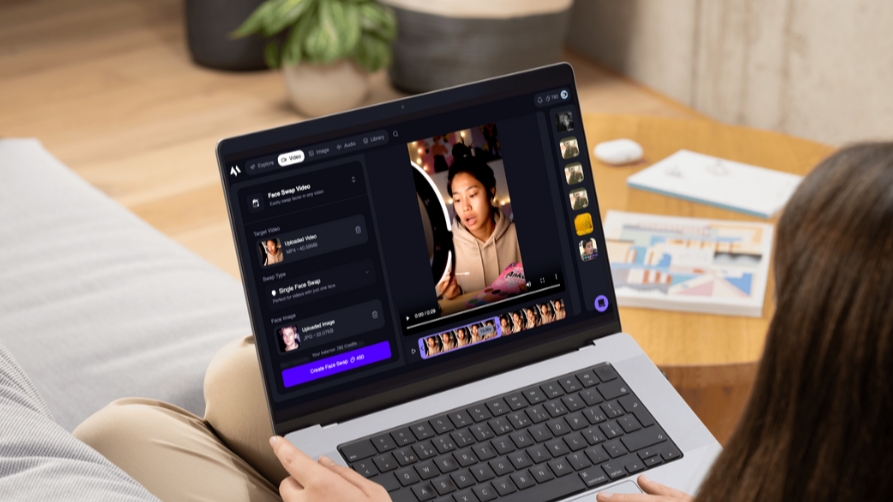
Magic Hour is designed for creators and teams who want face swap video results that are accurate, realistic, and reliable across the full clip. It supports exports up to 4K with high bitrate options, offers multiple model choices, and includes options designed to handle common failure modes such as facial hair and challenging lighting.
Magic Hour also supports multi-face swap for group scenes and provides an API for teams that want face swap video inside a product, pipeline, or campaign. In addition to online creation workflows, Magic Hour powers live activations, including live photobooths and experiential marketing exhibits where reliability and throughput matter.
Best for:
-
Realistic face swap videos that hold up across the full clip
-
4K and high bitrate exports for professional delivery and editing
-
Multi-face swaps for group scenes and shared content
-
Footage with facial hair, difficult angles, or challenging lighting
-
Teams that want multiple model options for different types of footage
-
API-based face swap video for products, automation, or batch processing
-
Live activations such as photobooths and experiential marketing exhibits
-
Predictable usage with unlimited credit rollover (credits do not expire)
Best for a fast, mobile consumer experience: Reface
Reface is a strong fit for consumer use cases where speed and simplicity matter most. It is easy to use on mobile and can be a good option for users who want quick results without managing settings or workflows. For users who purchase a lifetime pass, it can be cost-effective for ongoing personal use.
Best for:
-
Mobile-first face swap videos
-
Fast, simple consumer workflows
-
Users who want a one-time purchase option via a lifetime pass
Best for maximum control and local workflows: FaceFusion
FaceFusion is a popular open source option that provides a high degree of control for power users. Because it is open source, it typically requires local installation and setup. It is best suited for users who want deeper control over the pipeline and are comfortable managing their own environment.
Best for:
-
Power users who want maximum control
-
Local workflows and custom setups
-
Users comfortable installing and running open source tools
Quick selection guide
Choose Magic Hour if you need realistic swaps that hold up across the full clip, high-quality exports (4K and high bitrate), multi-face swap, facial-hair handling, multiple model options, and an API for production workflows or live activations.
Choose Reface if you want a fast, easy mobile experience for consumer use cases, especially if a lifetime pass fits your needs.
Choose FaceFusion if you want maximum control and are comfortable installing and running an open source tool yourself.
How to test a face swap video tool quickly
A simple test reveals more than a single showcase clip:
-
Test 3 clips: a well-lit talking clip, a side-angle clip, and a fast-motion clip
-
Include at least one clip with facial hair and one with occlusions (hand on face, hair movement, glasses, or shadows)
-
Check stability frame-to-frame, not just a paused frame
-
If speech is present, check expression and mouth alignment
-
Export at the highest available resolution and bitrate, then review playback for artifacts
-
Track how many retries it takes to get a usable result
Common questions
What is the best face swap video tool in 2026? The best choice depends on your workflow. Most teams choose based on realism, stability, handling of angles and occlusions, output quality, and how reliable the tool is at scale.
What makes a face swap video look realistic? The biggest factors are identity resemblance, temporal consistency, lighting match, and clean edges around the face and hairline. Expression and mouth alignment matter most on talking clips.
When do I need multi-face swap? Multi-face swap is most useful for group scenes, event clips, and content where multiple people appear on screen at the same time.
When do I need an API for face swap video? An API is useful when face swap is part of a larger workflow, such as automating batches, integrating into a product, or powering live activations.
About Magic Hour
Magic Hour is an AI video creation platform that helps creators generate and edit videos using text, images, and existing footage. It offers tools including face swap video, along with Text-to-Video, Image-to-Video, and Video-to-Video workflows designed for practical outputs and repeatable creative control.
Media: press@magichour.ai
Note: Product and model names referenced are trademarks of their respective owners. Magic Hour is not affiliated with or endorsed by them.
Media Contact
Company Name: Magic Hour
Contact Person: Runbo Li
Email: Send Email
City: Oakland
State: California
Country: United States
Website: https://magichour.ai/