As more of us work remotely, take online classes, and even play games on the go, portable monitors have become key productivity and entertainment tools. But all that time in front of the screen can cause eye fatigue, if your display doesn’t have eye-friendly technology. Newer portable screens and even alternatives to traditional LCD and OLED displays are incorporating more low-blue light filters, glare-resistant panels, higher brightness for improved contrast, and other technologies in 2025. This guide reviews top eye-strain reducing portable monitors of 2025 and how to choose the right one for you.
Reasons Eye Comfort Features Are Important on Portable Monitors
Portable monitors are great for extending your laptop’s workspace, using it as a secondary screen for tablets/phones, meetings, presentations, and lots of creative and productivity tasks. But when you’re not using the right technology to protect your eyes, too much screen time comes at a cost:
- Blue light has the potential to contribute to eye fatigue and disrupt sleep.
- Flickering backlighting causes more visual strain over long sessions.
- Low contrast displays or those prone to glare cause your eyes to work harder in bright conditions.
- Smaller text on high-resolution screens can be harder to read without scaling.
Many 2025 portable monitors now include low blue light filtering, anti-glare coatings, flicker-free backlights, and higher maximum brightness levels (paired with backlight dimming) that still render good clarity outdoors or in bright indoor environments. These are important first steps for combatting digital eye strain.
Portable Monitors of 2025 for Reducing Eye Strain
Here is a comparison of some of the best portable monitors that help reduce eye strain and deliver eye comfort as well as visual clarity, including information on their brightness performance, resolution, eye-care technologies, and other details focused on user comfort.
| Monitor Model | Screen Size | Resolution | Eye-Care Features | Brightness | Best Use |
| UPERFECT UColor T6 Sunlight Readable | 16″ | 3840×2400 (4K) | Low Blue Light, Wide Viewing Angle | 1200 nits | Bright outdoor & high-contrast work |
| ASUS ZenView 4K Portable Monitor | 15.6″ | 3840×2160 (4K UHD) | Low Blue Light & Flicker-Free | ~600 nits | Detailed imagery & long indoor work sessions |
| Lenovo ThinkVision Go | 15.6″ | Full HD / QHD (varies) | Flicker-Free, Low Blue Light, Wide Viewing Angles | ~300–500 nits | Everyday eye-comfort, study & casual productivity |
| Dasung Paperlike 103 (E-Ink Portable) | 10.3″ | ~1872×1404 | Reflective E-Ink (minimal blue light) | N/A (Ambient light based) | Reading, text-focused work |
| Budget IPS Portable Monitors (Various Brands) | ~15.6″ | 1920×1080 (FHD) | Anti-glare coating (varies) | 200–400 nits | Casual office use, students & value users |
Monitor Highlights
- UPERFECT UColor T6 (Sunlight Readable and Eye-Friendly)
This monitor’s key differentiator is its extremely high brightness of up to 1200 nits that is sunlight-readable, even in outdoor conditions. A bright display combined with a low blue light design helps reduce eye strain when working in direct sunlight or brightly lit areas over long periods. The 4K UHD resolution also helps provide crisp text and smoother imagery, which can also ease visual fatigue.
Key Specs
- 4K (3840×2400) resolution
- 1200 nit brightness for excellent outdoor use
- Low blue light and 178° wide viewing angles
- Ports: Dual USB-C, mini HDMI, 3.5mm audio
- Built-in speaker support, VESA mounting
This is a good option for professionals, digital nomads, and travelers who want clarity and comfort. As a sunlight viewable monitor, it delivers exceptional clarity and eye comfort even under direct sunlight, making it ideal for outdoor and high-brightness working environments.
- ASUS ZenView 4K Portable Monitor (Balanced Eye Comfort)
ASUS ZenView 4K offers high-quality visuals with built-in eye-care technologies that help reduce eye strain over long periods of use. This portable laptop monitor comes with a premium 4K UHD display that features low blue light filtration and flicker-free backlighting.
The moderate brightness of around 600 nits is suitable for most indoor environments, from offices and cubicles to home workstations.
Key Specs
- 3840 × 2160 4K UHD resolution for crisp text and clear images
- ASUS Eye-Care suite with low blue light and flicker-free backlights
- Dual USB-C and HDMI inputs and outputs
- Slim and light design for easy on-the-go use
- Built-in speakers
ASUS ZenView is a well-balanced portable laptop monitor that offers crisp visuals with eye-friendly features for everyday productivity.
- Lenovo ThinkVision Go (Everyday Eye-Comfort Portable Monitor)
Lenovo ThinkVision Go is a dependable everyday option that delivers smooth visuals with a wide viewing angle and anti-flicker backlight. It also has a comfortable level of brightness that’s not as high as sunlight-readable monitors but still suitable for indoor use.
Key Specs
- 15.6″ Full HD or QHD display (available in different models)
- 178° wide viewing angle for uniform images from different angles
- Flicker-free backlight with low blue light
- USB-C and HDMI input and output
Lenovo ThinkVision Go is a good everyday portable laptop monitor choice for casual use, students, and remote workers who desire a screen that’s easy on the eyes.
- Dasung Paperlike 103 (E-Ink for Minimal Eye Strain)
As a different take on a traditional LCD/OLED portable monitor, the Dasung Paperlike 103 is an E-Ink (electronic paper) display like a Kindle or other e-reader. E-Ink screens reflect ambient light instead of producing their own light output like LCD or OLED. This approach dramatically reduces blue-light exposure and eye fatigue, especially during long sessions of reading or other text-focused work. This particular E-Ink portable has a 60Hz refresh rate to help smooth scrolling (a rarity for E-Ink technology) but not nearly enough to watch videos on this screen like an LCD/OLED display.
Eye-Friendly Features
- Reflective E-Ink panel, minimal blue light
- Adjustable LED edge lighting
- Color temperature adjustment
- Ultra-light and portable
If your work is largely text, this monitor can feel easier on the eyes than most.
- Budget Portable Monitors (various IPS) Value-Focused Comfort
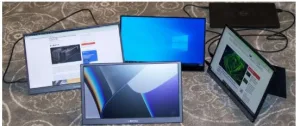
Budget portable monitors are most often found in 15.6″ FHD resolution. While these won’t have quite the same level of features and detail as higher-end models, they are often equipped with anti-glare coatings and wide viewing angles that can reduce stress over long sessions under normal indoor lighting. They are great value for money portable monitors for students and casual users. As a portable laptop monitor, it offers excellent value with an anti-glare display and wide viewing angles, making it a comfortable and practical choice for students and casual users during everyday indoor use.
Portable Monitor Specs to Look for to Reduce Eye Strain
The most important features in portable monitors to help reduce eye strain are as follows. Keep these in mind when you look to buy.
- Low Blue Light / Flicker-Free
Monitors that include low blue light options or flicker-free LED drivers reduce the load on the eye muscles over long sessions.
- Brightness & Anti-Glare
Brightness that reaches higher levels combined with anti-glare coatings makes the display easier to read in varied lighting.
- Resolution
Higher resolutions (QHD, 4K) allow for crisper text to help reduce squinting and eye strain.
- Refresh Rate
The normal 60Hz rate is fine for most people and work, but if you find scrolling in windows and documents to be visually straining, something higher refresh can feel smoother.
- Adjustable Color Temperature
Eye comfort mode usually has warmer (less blue) settings in the evening to reduce potential negative impact and sleep issues.
Frequently Asked Questions (FAQs)
- Do portable monitors really help reduce eye strain?
Yes, especially when you choose portable monitors with low blue light filters, flicker-free backlights, and anti-glare coatings. This feature combination reduces the amount of harmful wavelengths and visual fatigue during long screen sessions.
- Should I get a portable monitor with higher brightness?
It depends on your environment. In the brightest of conditions, higher brightness makes it much easier to see a display even outside. Indoors, a balance of good (but not over-bright) brightness with other eye-care technology like blue-light filters and anti-glare is usually more comfortable.
- Is 4K necessary to reduce eye strain on portable monitors?
4K displays are not necessary to reduce eye strain on portable monitors but can make text and graphics clearer, which often reduces the amount you need to squint and work your eyes.
- Are E-Ink portable monitors worth it?
If your work is largely text-oriented (editing, writing, reading), an E-Ink monitor like Dasung’s Paperlike can provide a much more comfortable experience than typical LCD/OLED displays.
- Can cheap portable monitors help with eye strain?
Yes, but with more limitations and likely to a lesser extent. Features like an anti-glare screen and wide viewing angles are still helpful, even on budget portable monitors.
Conclusion
Cutting down on eye strain from portable monitors is not a luxury anymore in 2025, it’s a requirement for users that spend long hours in front of their screens daily. There is something for every user from bright, sunlight-readable monitors like UPERFECT’s options, balanced eye-care technology 4K portable monitors, and even E-Ink solutions for heavily text-based work.
Choosing a portable monitor with eye-friendly technology for you will help make your work or gaming sessions more comfortable, productive, and healthy long term.